Here is a detailed tutorial on how to access and enter Fastboot Mode on Android. This mode is also known as bootloader mode. Similar to Android’s recovery mode, Fastboot is another great built-in mode that lets users install and flash system files. However, unlike recovery, to utilize Fastboot mode, you need to have your phone connected to a computer on which you have configured the Fastboot utility. This way, once connection is established, you can flash system files directly onto your Android device — be it official firmware files, system updates or custom files such as a custom recovery i.e. TWRP.
Most, if not all, Android devices come with the bootloader mode. This comes in handy for official repair technicians to restore system files if the phone is not booting up. Further, for enthusiasts, this acts as a portal towards installing new firmware updates manually as well as modifying the system partition. Depending upon the manufacturer, there are different ways to access Fastboot mode — all of which have been listed in this detailed tutorial.
What are Fastboot and Bootloader Modes?
In simpler words, Android has this maintenance mode (Fastboot) natively built into it for diagnostic and upgrading purposes. If we look into details, this is a mode designed for re-partitioning the phone, accessing vital system data and manually flashing firmware. Usually, this mode is meant for developers but if you find yourself okay with experimenting than there is no such danger in accessing the Fastboot Mode.
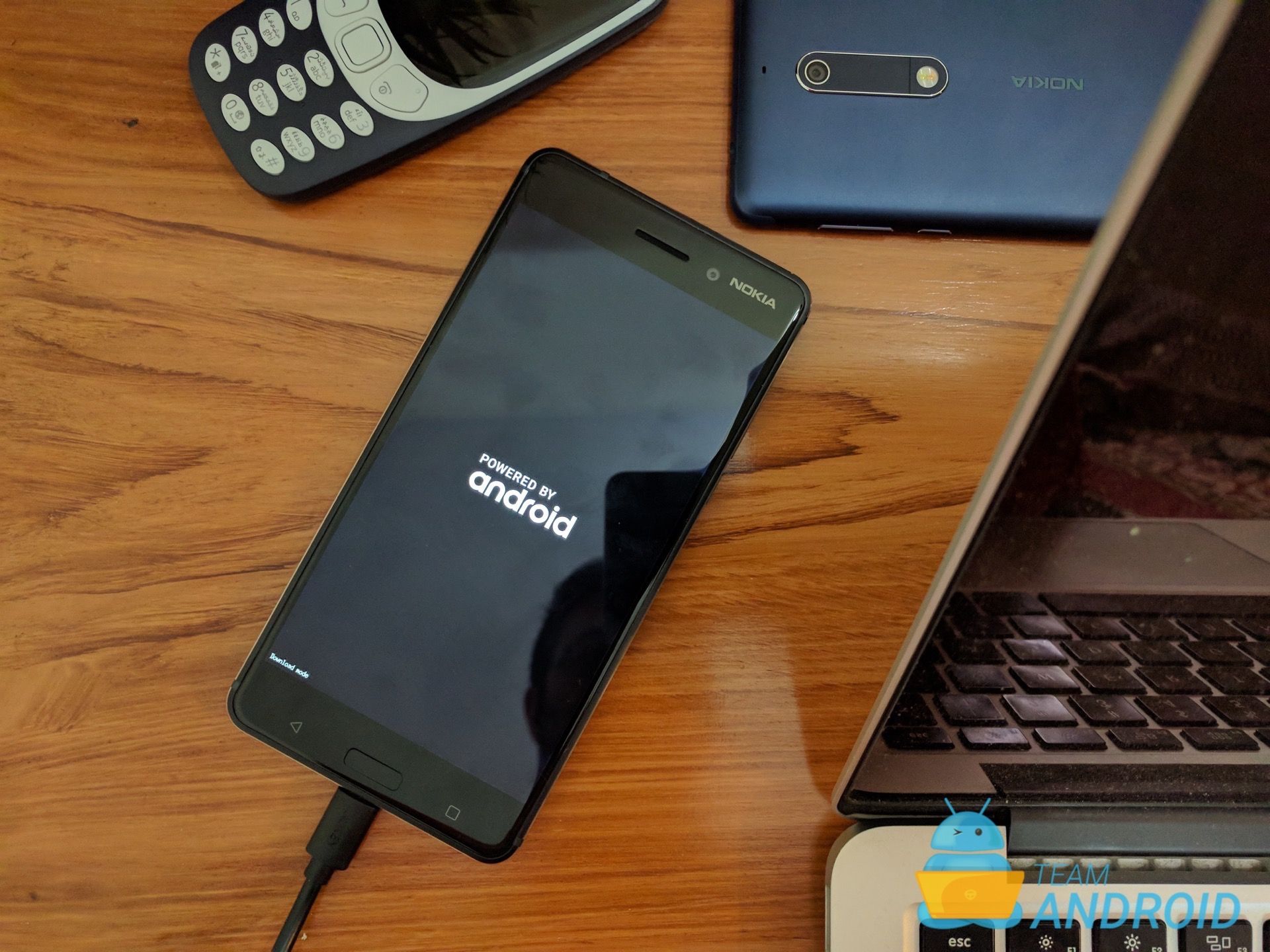
With Fastboot, you can easily flash certain parts of or a full system. There are key parts to Android OS, the modem, bootloader and system. These parts can be upgraded or changed manually via a computer that recognizes the phone and has the Fastboot software.
Other than installing firmware, there is nothing else you can do yourself. Except, there is a neat trick only specific to Google devices. To access other system modes, you first have to access Fastboot. Meaning, if you are aiming for the recovery mode, you still need to enter Fastboot Mode first.
Booting into this mode is totally verified by the manufacturer and there is no risk of losing warranty. But, if you try flashing different firmware files which aren’t authorized, you could end up with a useless phone and total warranty loss. This is exactly why we will advise if you are not good with computers or the protocols laid by Android, you shouldn’t connect your phone to your PC while in Fastboot mode.
How to Enter Fastboot Mode

To enter Fastboot mode / Bootloader mode on any Android phone, there are two main methods. One is the universal method that works with every Android device and requires a computer whereas the other method being a certain buttons combination set by each manufacturer.
Both have been listed ahead so you can use the one you find most convenient. Keep in mind, Samsung phones refer to Fastboot mode as Download Mode. If you have a Samsung device, read: How to Enter Download Mode on Galaxy Phones.
Universal ADB Method
Through the following method, you can use Android Debug Bridge (ADB) to boot your phone into Fastboot mode.
Step 1.1 – Download Android SDK from the Android Developers website and install. Also set it up with downloading Platform-Tools and Google USB Drivers package in SDK. See: How to Set up ADB and Fastboot on Windows.
or
Step 1.2 – Download ADB / Fastboot – Android SDK Platform Tools separate package and install on your computer. Download from the following links depending on your OS and extract it anywhere in your computer.
| Platform | Download |
|---|---|
| Windows | platform-tools_r34.0.0-windows.zip |
| macOS | platform-tools_r34.0.0-darwin.zip |
| Linux | platform-tools_r34.0.0-linux.zip |
Step 2 – Enable USB Debugging mode in your Android device and connect it to your PC with a USB cable.
Step 3 – Next, open Command Prompt and enter an ADB command so you can go to Fastboot / Bootloader mode. How?
- If you followed Step 1.1 above, then navigate to android-sdk-windows\platform-tools directory and open Command Prompt (Shift + Right-click > Open Command Prompt) or Terminal on macOS.
- If you followed Step 1.2 above, then simply go to where you downloaded and extracted the package. Open the platform-tools folder and open Command Prompt (Shift + Right-click > Open Command Prompt) in that directory.
Step 4 – Type in the following command and press Enter.
adb reboot bootloader
Step 6 – The Android phone will switch OFF and then boot into the Fastboot Mode.
As mentioned earlier, Android OEMs have their own set of buttons combination to boot an Android device into the bootloader mode. That is mainly because of various other functions mapped onto these buttons. And in some cases, phone makers have already started skipping the buttons on a phone altogether. Until that happens with every new phone out there, you can still use the following method for your Android device.
If your phone, tablet or watch brand is not mentioned below in the list, that means you will have to use the ADB method for your device.
Google Devices
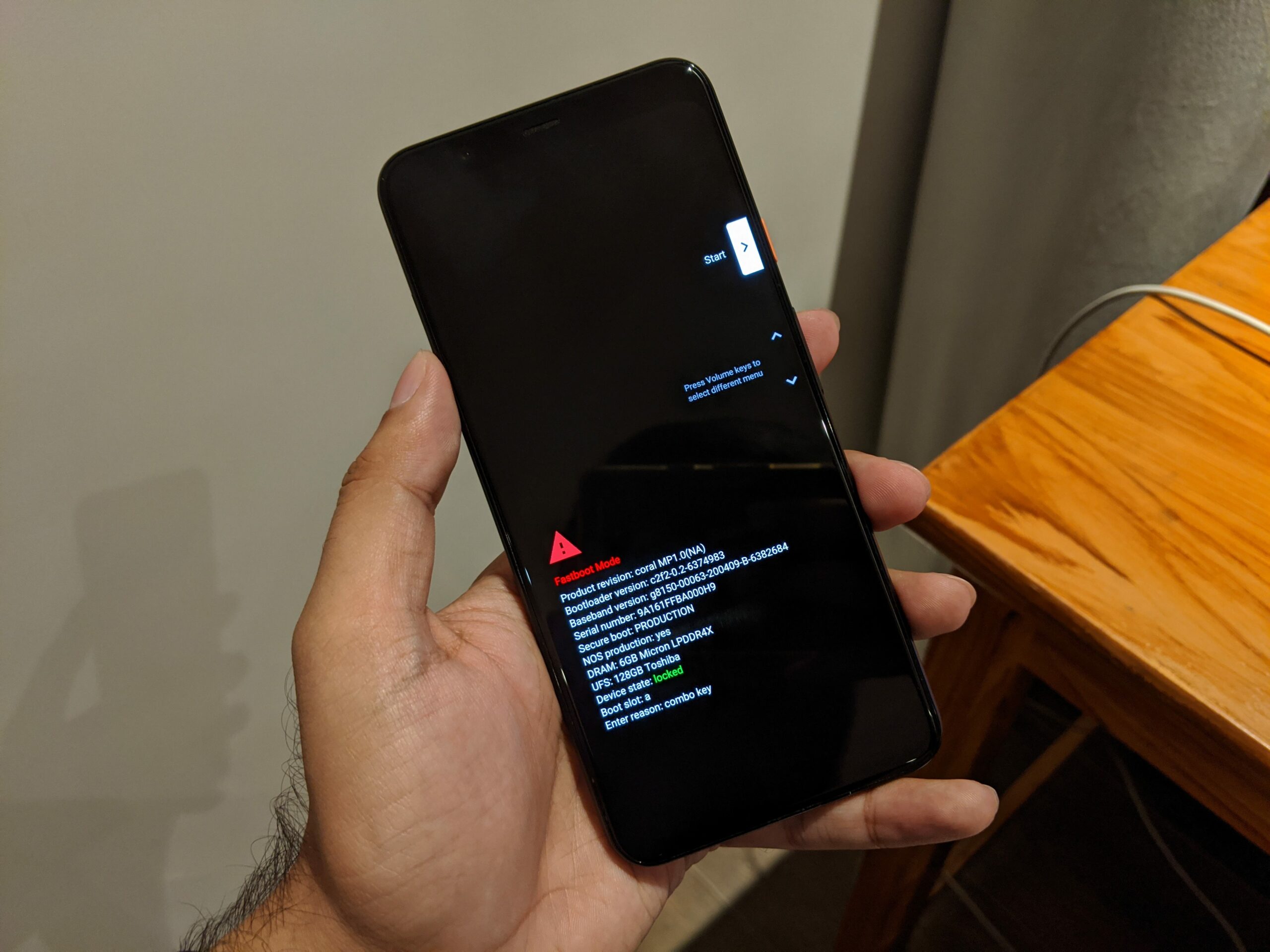
Here is a quick step-by-step instruction on how to enter Fastboot Mode on your Google Pixel phone. If this is your first time with a Google Android phone, follow the instructions below carefully:
Step 1 – Turn OFF your Google Pixel device.
Step 2 – Now press and hold the Volume Down + Power buttons for 5-6 seconds then release.
Step 3 – The phone will now boot into fastboot mode. This is your Fastboot screen, you can now connect your phone to your PC and access it via the Fastboot tool.
OnePlus Phones
The ahead given steps will allow you to enter fastboot mod on OnePlus phones.
Step 1 – Turn OFF your OnePlus device.
Step 2 – Now press and hold the Volume Down and Power button for 6-6 seconds then release.
Step 3 – The phone will now boot into fastboot mode. This is your Fastboot screen, you can now connect your phone to your PC and access it via the Fastboot tool.
Nokia (HMD Global) Phones
The following procedure doesn’t include any commands but you still need a computer connection for it to work.
Step 1 – Power down your Nokia device by pressing and holding the power button.
Step 2 – Once it is powered off, connect the phone to your computer.
Step 3 – The Nokia phone will show you a Powered by Android image and then proceed to the battery animation.
Step 4 – Once you see the charging animation, hold the Volume Up button and Power button simultaneously.
Step 5 – A countdown would start telling you to “Please release key to power off..” . Ignore this message and keep holding the buttons.
Step 6 – After the countdown is finished, your phone would enter the recovery mode.
Step 7 – From here, you should see an option “Reboot to bootloader mode“. You can highlight it by using volume keys and then once highlighted, select it with Power Key.
Xiaomi Devices – Mi, Redmi, Poco
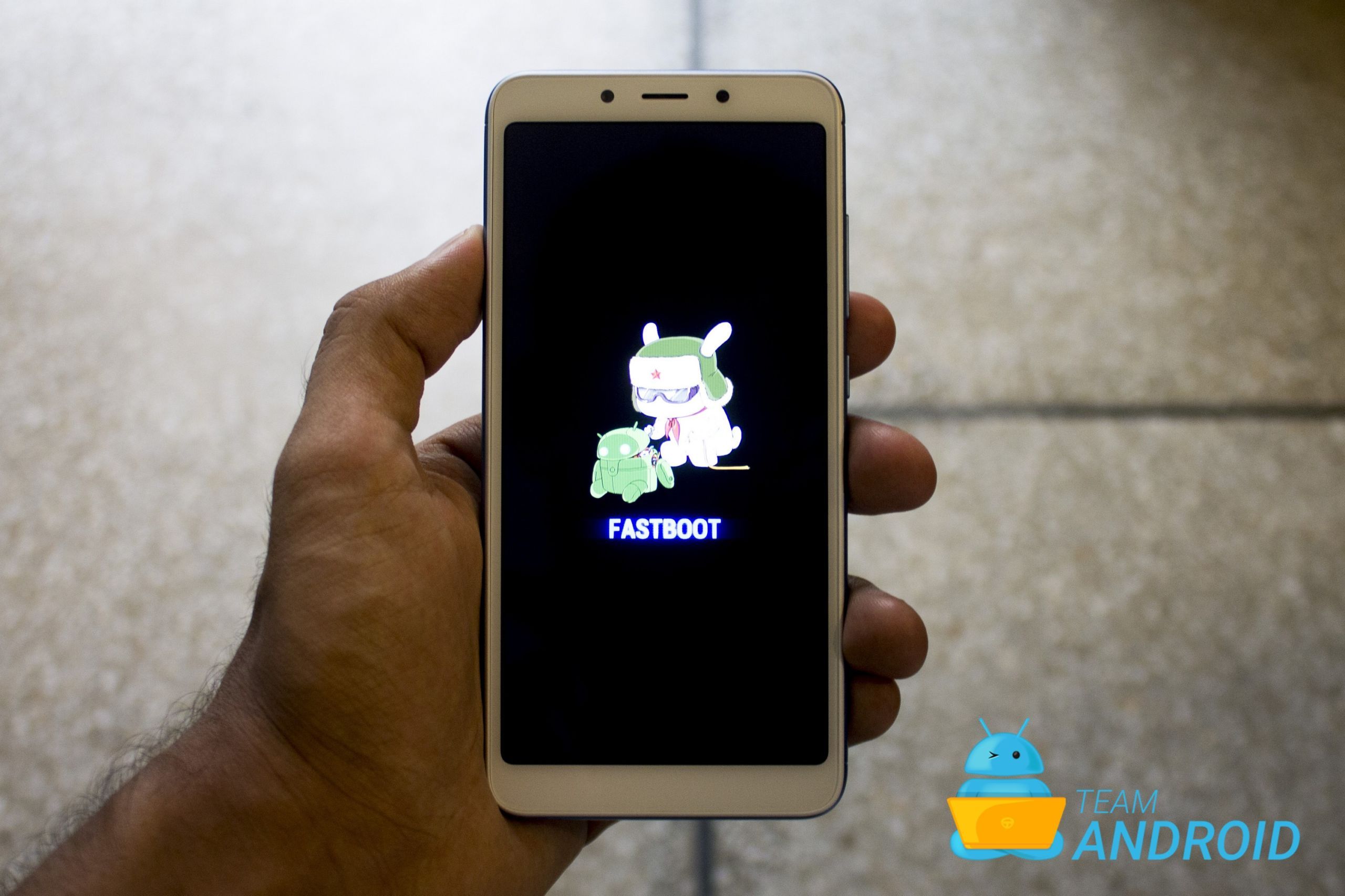
Xiaomi phone owners can execute the following tutorial to enter fastboot mode without requiring ADB.
Step 1 – Turn OFF your Xiaomi phone.
Step 2 – Now press and hold the Volume Down and Power button for 6-6 seconds then release.
Step 3 – The phone will now boot into fastboot mode. This is your Fastboot screen, you can now connect your phone to your PC and access it via the Fastboot tool.
HTC Phones
Following button combination method will let you access fastboot mode on HTC phones.
Step 1 – Make sure you are on the home-screen of HTC device. From there, start holding Volume Down and Power button together for round about 15-20 seconds.
Step 2 – Once the display is powered off / goes black, let go of the Power key and once you see Fastboot mode (there should be multiple text options on screen with black background), let go off the Volume Down button.
Step 3 – This is your Fastboot screen, you can now connect your phone to your PC and access it via the Fastboot tool.
Razer Phones
Here is a quick step-by-step instruction on how to enter Fastboot Mode on your Razer Phone phone. If this is your first time with a Razer phone, follow the following carefully:
Step 1 – Turn OFF your Razer Phone.
Step 2 – Now press and hold the Volume Down button. At the same time, connect a USB cable that is connected to a computer.
Step 3 – The phone will now boot into fastboot mode. This is your Fastboot screen, you can now connect your phone to your PC and access it via the Fastboot tool.
Essential Phone
Use this tutorial to enter Fastboot Mode on your Essential Phone phone.
Step 1 – Turn OFF your Essential Phone.
Step 2 – Now press and hold Volume Down + Power.
Step 3 – The phone will boot into a screen with a big “Start” written on it. This is your Fastboot screen, you can now connect your phone to your PC and access it via the Fastboot tool.
Motorola Phones
This is the exact process you need to implement in order to access Fastboot mode on Motorola devices.
Step 1 – Turn OFF your Moto phone.
Step 2 – Now press and hold the Volume Down and Power button for 2-5 seconds.
Step 3 – The phone will now display something similar like the following following screen. This is your Fastboot screen, you can now connect your phone to your PC and access it via the Fastboot tool.
This has been a detailed discussion on how to access the bootloader mode / enter Fastboot mode on various Android devices. Ideally, you should work with the buttons combination because it is much easier than installing the Android SDK for just using ADB and Fastboot tools.
Why are you trying to access the Fastboot Mode? If it is for installing a custom recovery or a system update, let us know in the comments so we can help you out.